Your ticketing system stays the record. The agent works the ticket in Braid, and any move it makes waits for you to approve. This guide follows one recording.
Open your team's board
The Website board shows the team's own tickets, in the tracker's columns: Backlog, Todo, In Progress, Done and Cancelled. A "Synced" label shows when the board last matched the tracker.
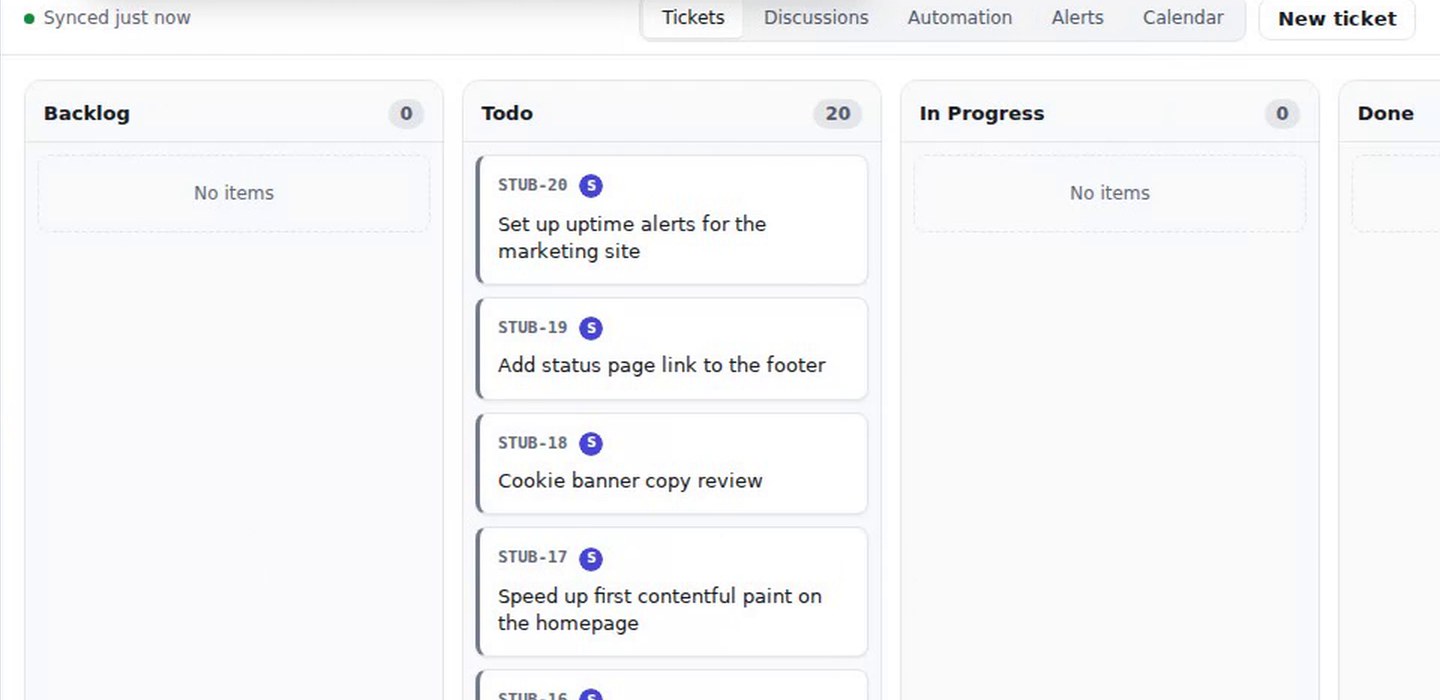
Open the ticket
Click the ticket's card. A session opens, titled with the ticket, for example "STUB-12 Announce new pricing in the newsletter".
Ask the agent
Ask in plain words. The recording asks the agent, Mara, to write the announcement the ticket asks for and move the ticket to Done.
Read what the agent wrote
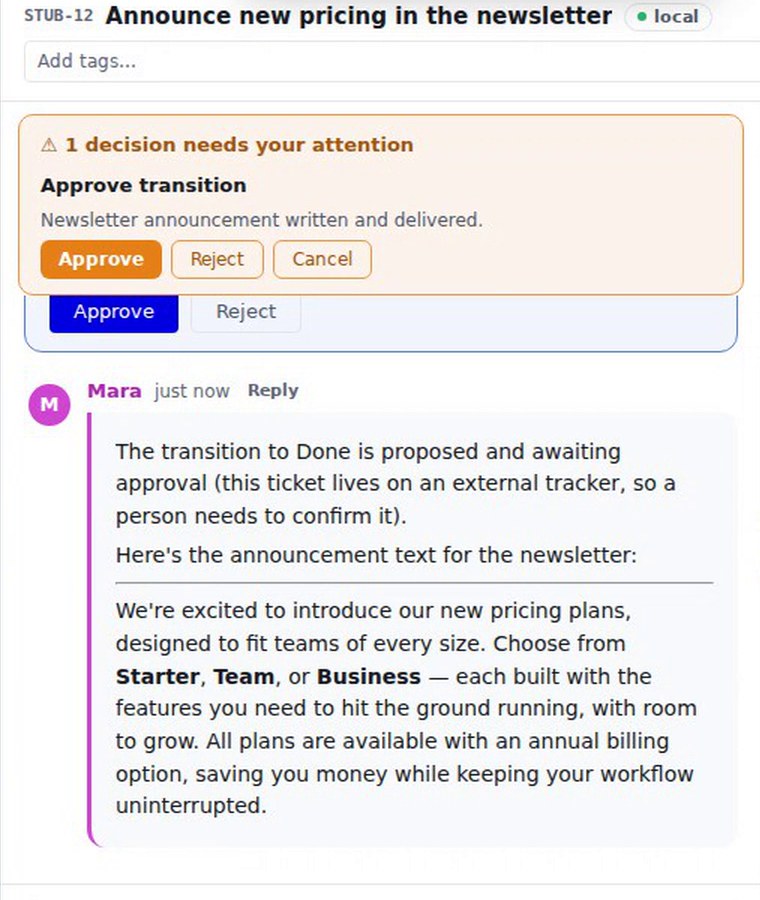
The agent writes its work in the thread. In the recording it wrote a short newsletter announcement. The wording varies from run to run.
Approve the move
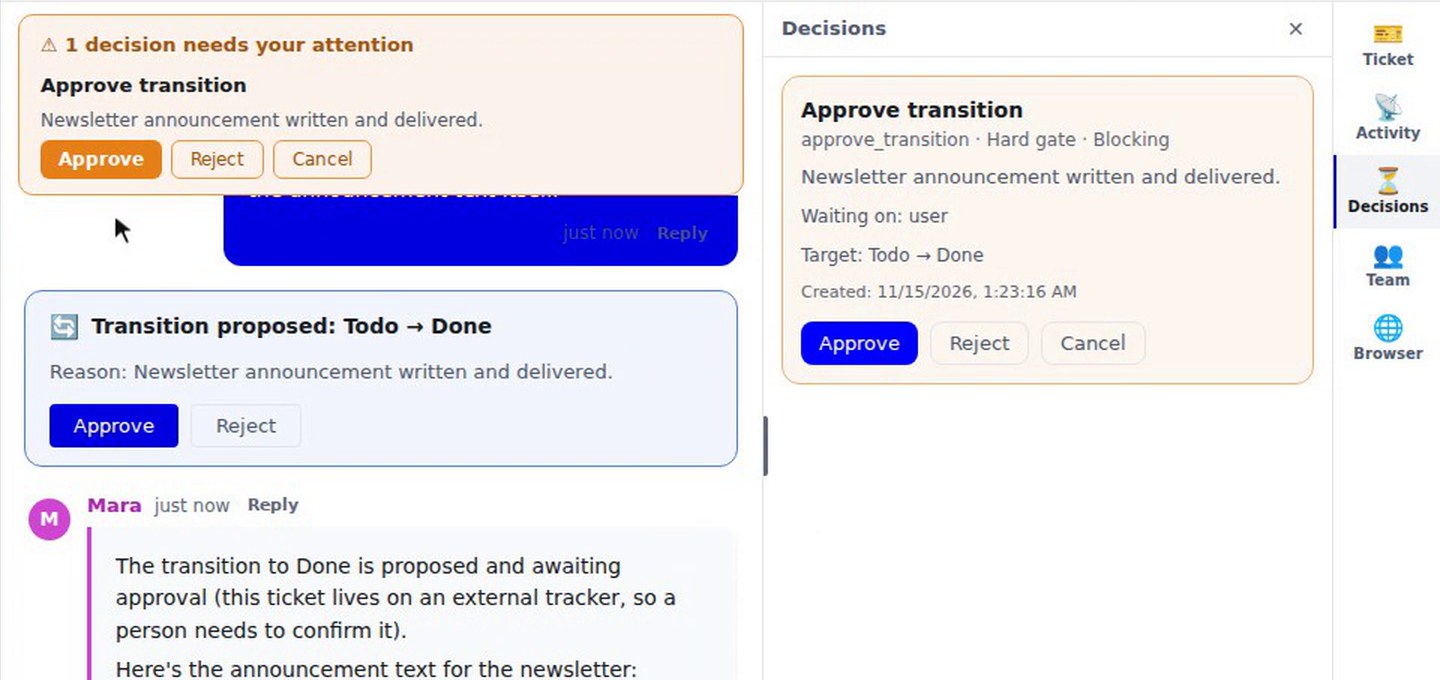
The move does not happen yet. A card appears in the thread: "Transition proposed: Todo → Done", with the reason, and Approve and Reject buttons. A banner above the thread says "1 decision needs your attention", and the Decisions panel lists it as an Approve transition, a hard gate that blocks. Press Approve. The card shows "Approving…" and then "Approved — moved to Done".
Check the board
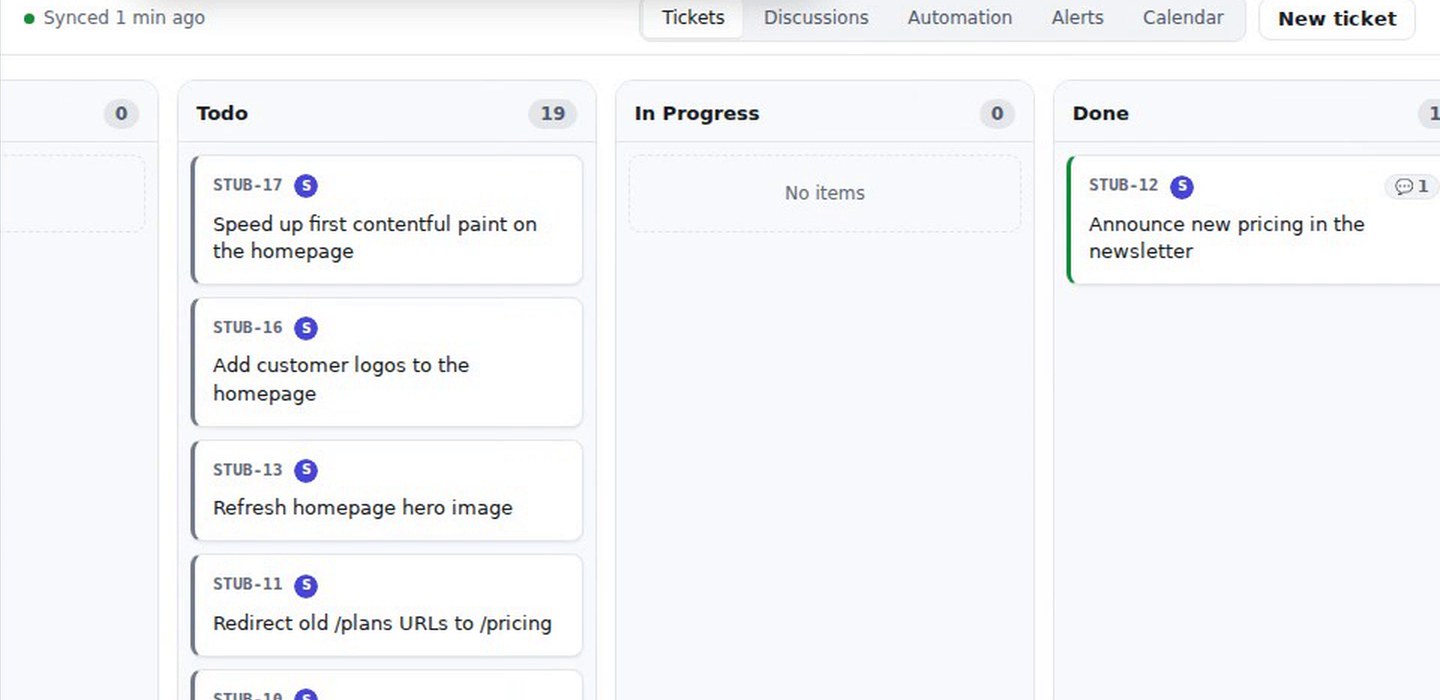
Go back to the board. The ticket is in Done, and Todo has one fewer. The ticket's card shows a comment badge, and opening it again shows the session with the agent's work.
What you get
A ticket worked by an agent on your team's own board. The agent's work is in the thread, and the move to Done happened only after a person approved it. The recording shows the Braid board after the approval. It does not show the tracker's own screen.