Knowledge is a set of documents. For each one you choose which agents are given it in their prompt. This guide follows one recording with two documents and two agents.
Write a rule and give it to the Lead
Press Knowledge in the top bar and choose New document. Name it "How we name releases" and write the rule: releases are named after rivers, in alphabetical order, and the last was Amazon. Under Who receives it, choose Named agents, tick Lead (@lead), and press Save document.
Write a second document for the Assistant
Make another new document, a refund approval policy: refunds over £100 need a manager's approval before the agent agrees to them. This time choose Named agents and tick Assistant (@assistant). Save it, and press Apply who receives it if it is shown.
Preview what each agent would be given
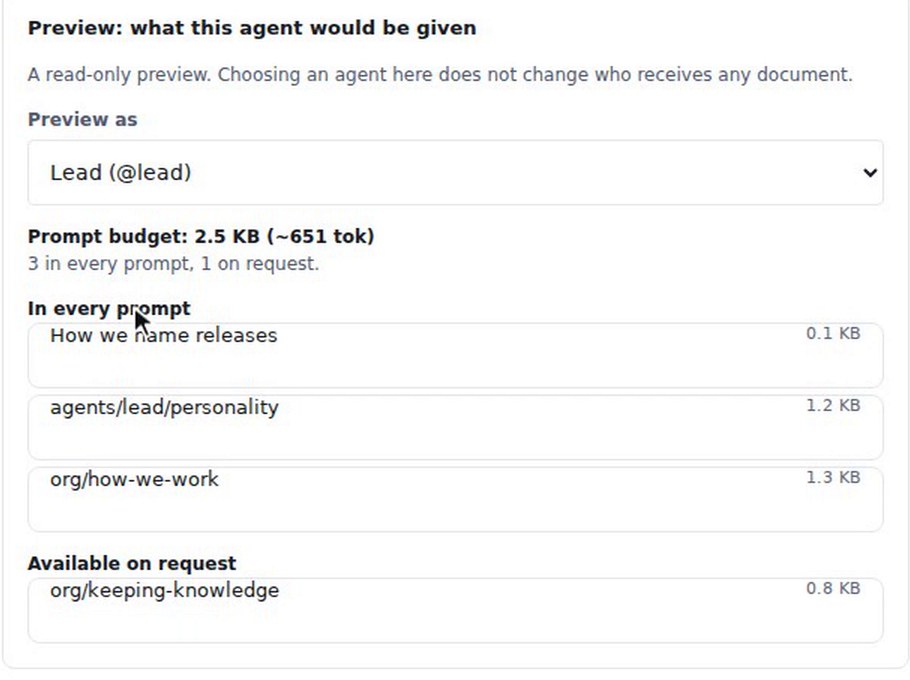
Below the document, "Preview: what this agent would be given" is a read-only preview. Choosing an agent there does not change who receives any document. With Preview as set to Lead (@lead), "How we name releases" is listed under In every prompt, with the Lead's personality and the organisation's how-we-work document.
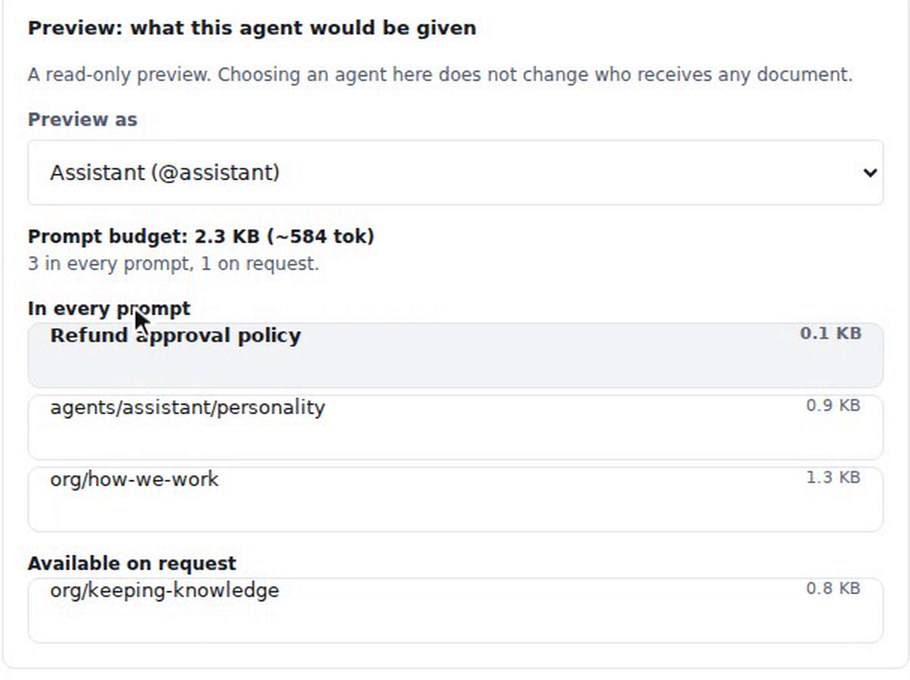
Switch Preview as to Assistant (@assistant). The Refund approval policy is listed under In every prompt, with the Assistant's own personality.
Ask the Lead
Choose Exit to app, open the General board, press New discussion with a topic such as "Next release name", and press Create discussion. Press Add agent and pick Lead. Ask what the next release should be called. In the recording the Lead answers from its rule: releases are named after rivers in alphabetical order, and the last was Amazon, so the next should start with B.
Ask the Assistant
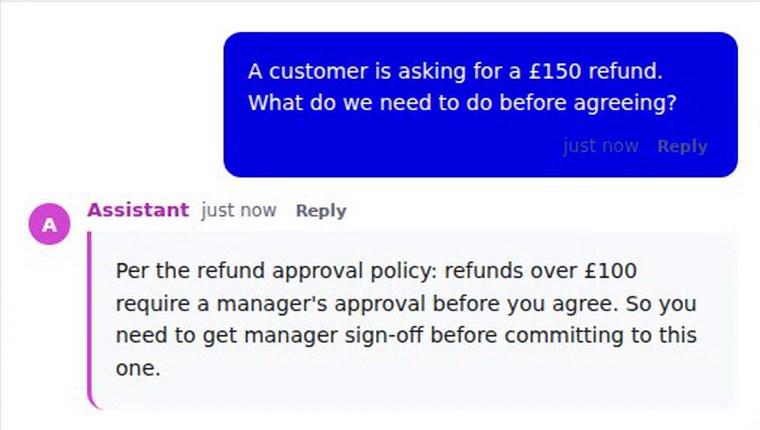
Start another discussion, add the Assistant, and ask: "A customer is asking for a £150 refund. What do we need to do before agreeing?" The Assistant answers from the refund policy: refunds over £100 need a manager's approval, so you need sign-off before agreeing. The exact wording of each answer varies from run to run.
What you get
Two agents, each given the document that suits its job, and a preview that shows what each one would be given. Each answered from the document in its own prompt.