This guide follows one recording. The rule is a refund policy, and the agent is the Lead.
Write the rule in Knowledge
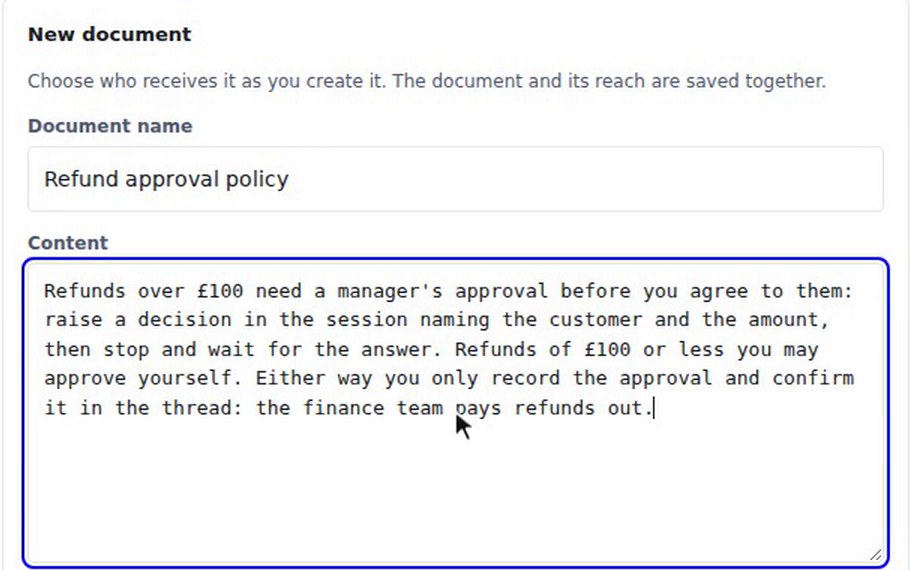
Press Knowledge in the top bar and choose New document. Name it "Refund approval policy". In the content, say what the agent should do. The recording says that refunds over £100 need a manager's approval: raise a decision in the session naming the customer and the amount, then stop and wait for the answer. Refunds of £100 or less the agent may approve itself. Either way it only records the approval and confirms it in the thread, because the finance team pays refunds out.
Give it to the Lead
Under Who receives it, choose Named agents, tick Lead (@lead) and press Save document.
Ask for a small refund
Open the General board, press New discussion, give it a topic such as "Customer refunds", and press Create discussion. Press Add agent and pick Lead. Then write: "Customer Maria Lopez was sent her parcel a week late. Please refund her £40." The Lead approves it itself, noting that it is within the £100 limit, and records it for finance.
Ask for a large refund
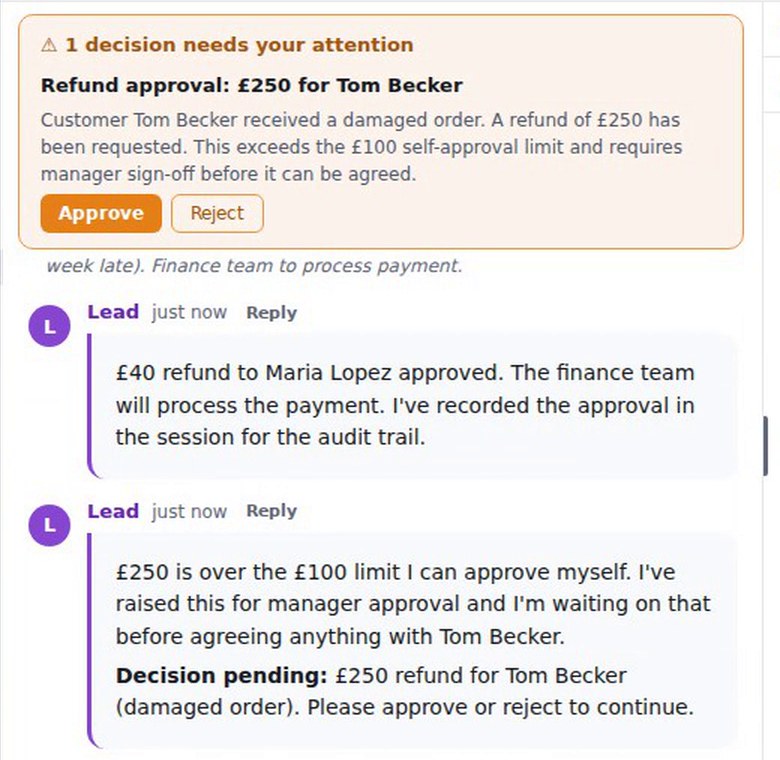
Write: "Customer Tom Becker received a damaged order. Please refund him £250." The Lead says £250 is over the limit it can approve itself, that it has raised the request for manager approval, and that it is waiting. A banner appears above the thread: "1 decision needs your attention", titled "Refund approval: £250 for Tom Becker", with Approve and Reject. The Decisions panel also lists it.
Approve it
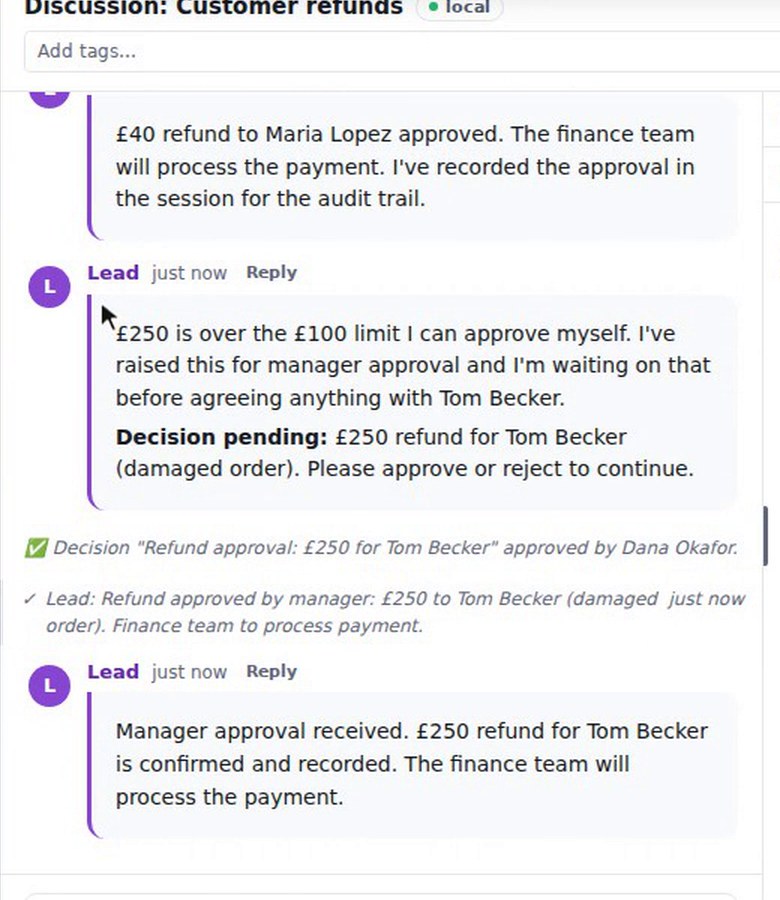
Press Approve, or Reject to refuse. The thread records that the decision was approved by you. The Lead then confirms the refund and notes it for the finance team to pay out. The exact wording of the decision and of the Lead's messages varies from run to run.
When an agent needs a secret
An agent can also stop and ask for a secret. A banner shows the request with a "Paste the secret value" box and Approve and Reject buttons. You paste the value and press Approve, the thread records who approved it, and the agent carries on. The value never appears in the thread. In this recording the agent used a demo API key and reported its length.
What you get
A rule you wrote once, applied by the agent: small requests go ahead, and a large one stops and waits for a person. The thread records who approved it, and the agent confirms what it did.