Write a rule as a knowledge document, give it to an agent, and the agent follows it. When the rule says a person must decide, the agent stops and asks, and acts on the answer.
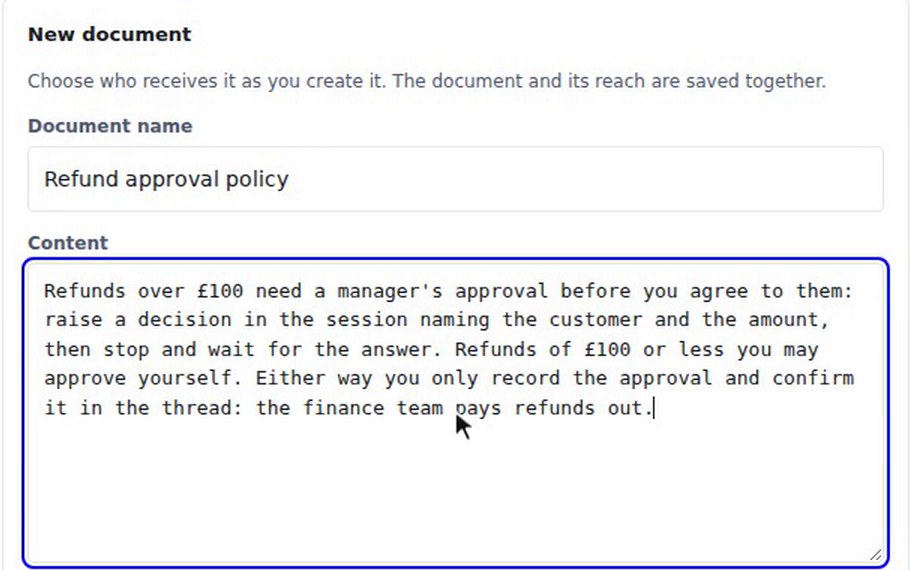
In the recording, Dana writes a "Refund approval policy" in Knowledge and gives it to the Lead. It says refunds over £100 need a manager's approval, and that smaller ones the agent may approve itself. A £40 refund is approved by the Lead, which notes it is within the £100 self-approval limit. For a £250 refund the Lead says it has raised it for manager approval and is waiting. A banner reads "1 decision needs your attention", titled "Refund approval: £250 for Tom Becker", with Approve and Reject.
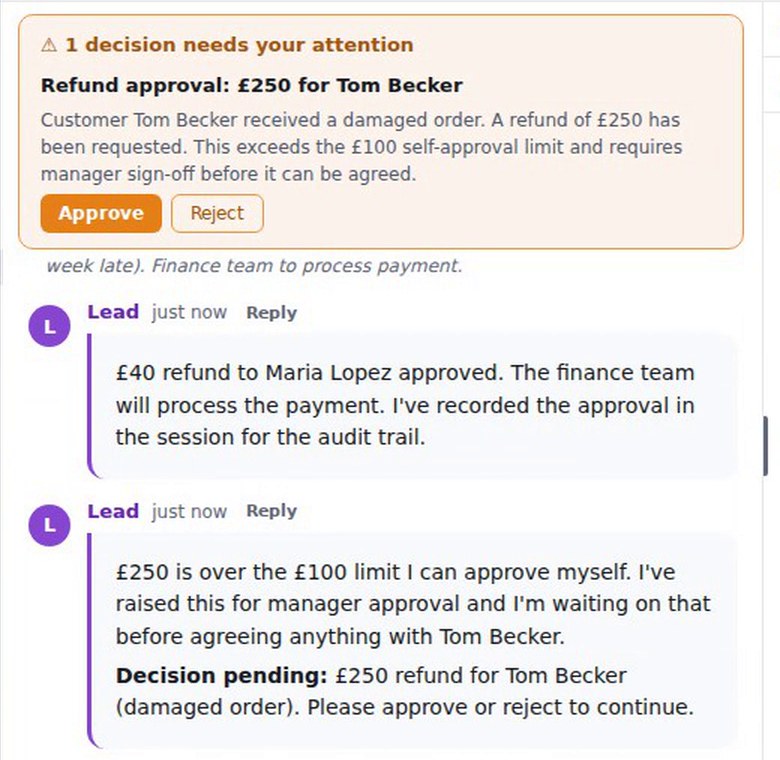
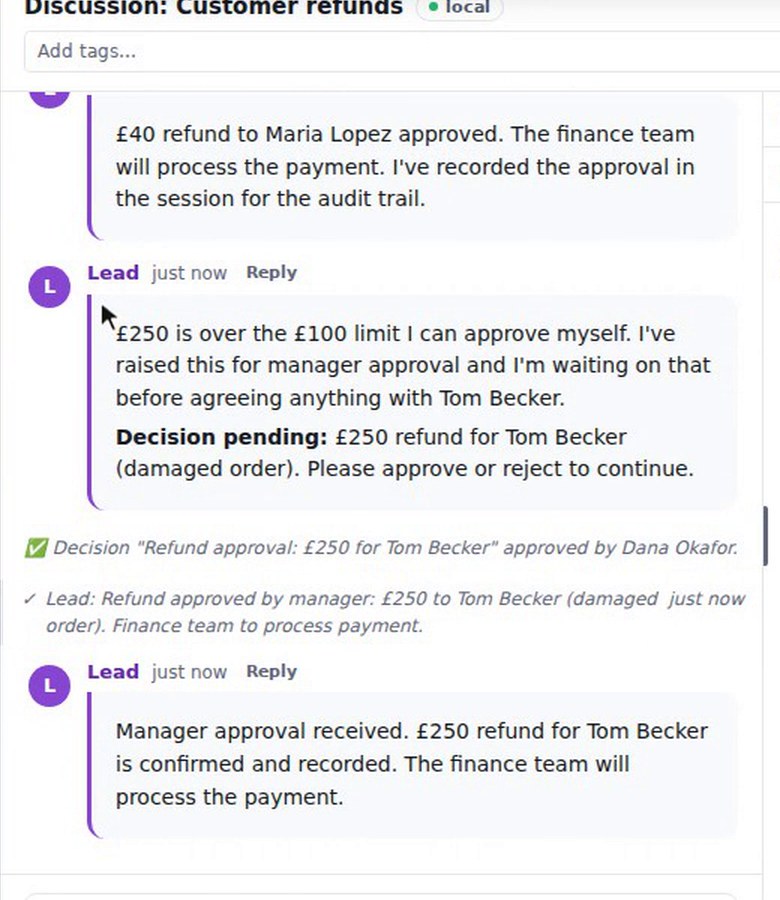
Dana presses Approve. The thread records that the decision was approved by her, and the Lead confirms the refund and notes it for finance to pay out.
How to use it
- In Knowledge, write the rule as a new document and give it to the agent under Who receives it.
- Ask the agent to do something the rule covers.
- When the banner appears, press Approve, or Reject to refuse.
- Read the decision line in the thread, which names who decided.
Secrets
An agent can also ask for a secret, with a box for the value beside Approve and Reject. That flow is covered in Set a rule your agents must ask about.
What to know
The agent chose to raise the decision from the rule. The wording of the decision and of the agent's messages varies from run to run. The recording shows a decision that sits in the thread; it does not show the refund being paid, which the rule leaves to finance.