Task breakdown with agent teams
Ask a lead agent for an outcome and watch its team do the pieces.
A lead agent can coordinate other agents. Describe the outcome, not the steps. The lead plans the work, splits it into tasks, and hands each task to an agent in its own sub-session. Tasks that do not depend on each other run in parallel, and a task that needs earlier results waits for them.
In the recording, the owner attaches the quarter's customer accounts, a CSV file, and asks the lead for a board pack: a churn analysis with a chart, a short market note, and a one-page executive summary that draws on both. She asks it to split the work across the team and run it in parallel where it can.
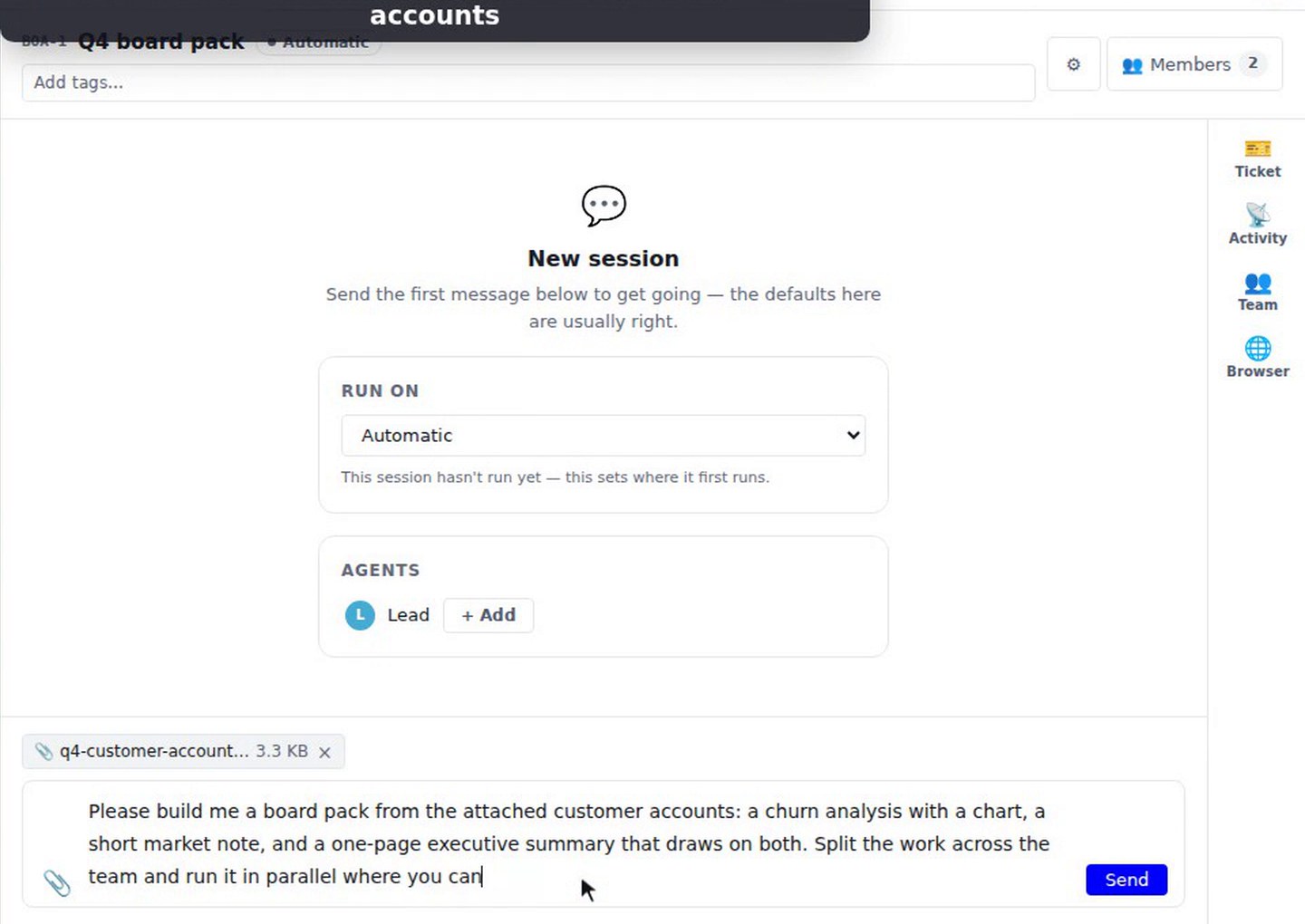
The lead replies with a plan and a task list of four tasks: churn analysis and a market note, which run in parallel, then a churn chart that waits for the analysis, and an executive summary that waits for the chart and the note. The Tasks panel lists the four tasks with the agent on each and a progress count.
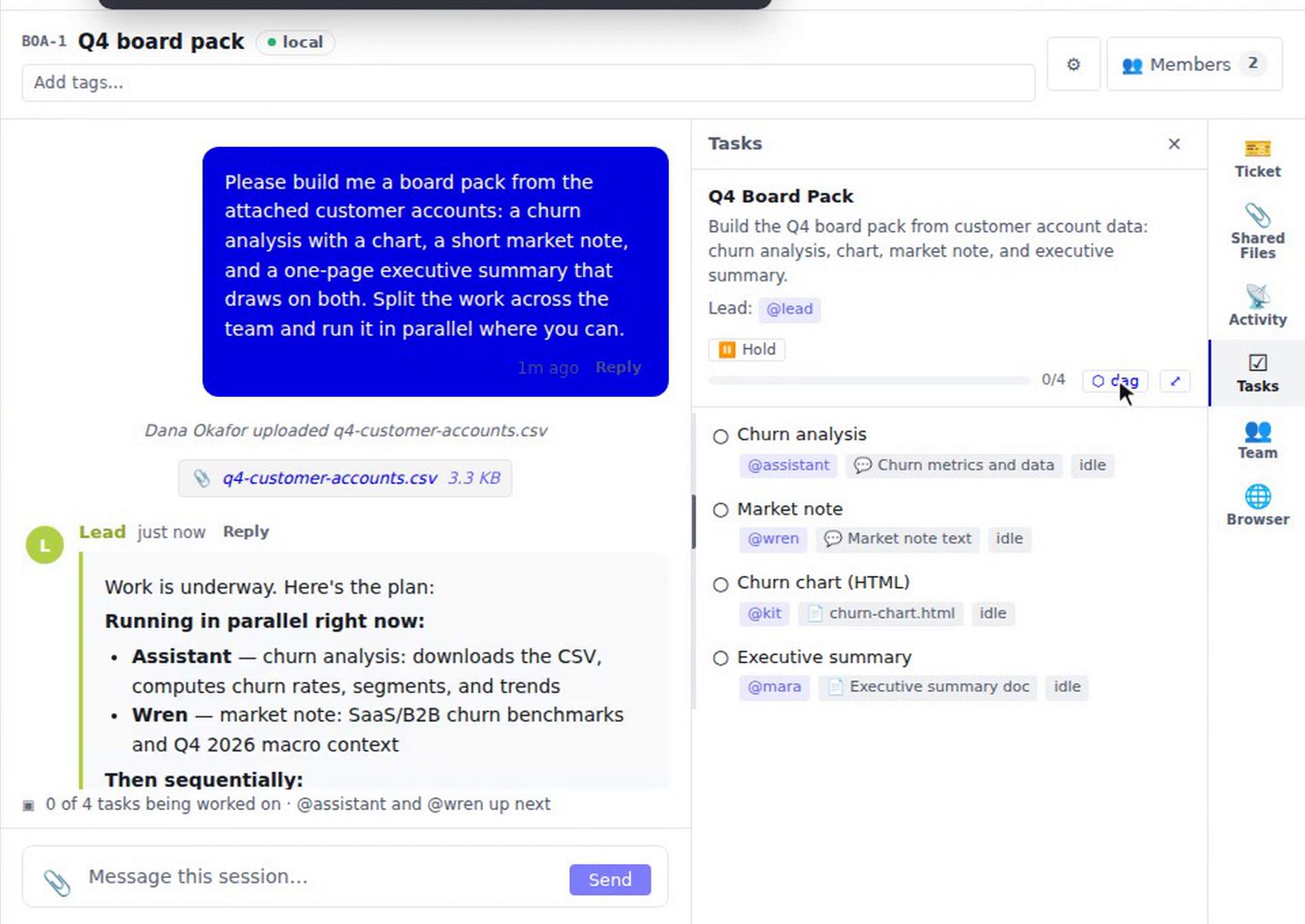
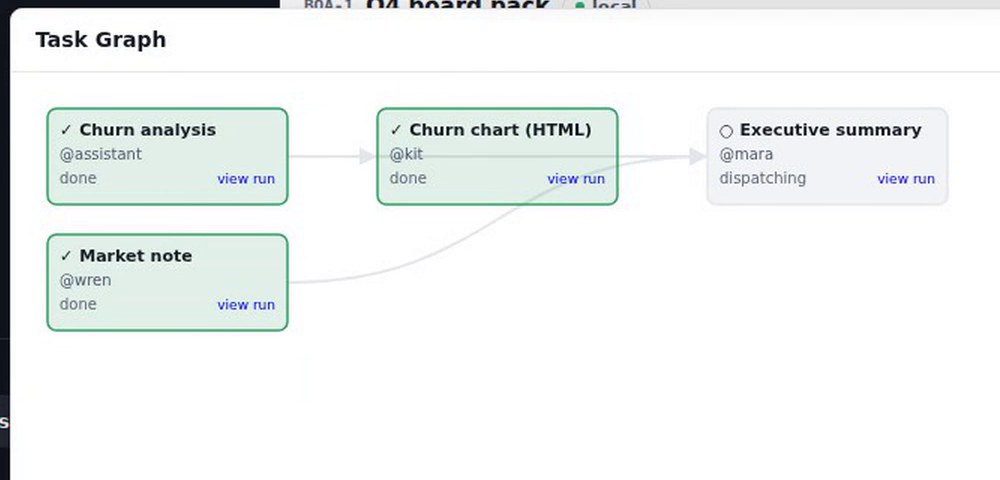
Opening the Task Graph draws the same plan as boxes and arrows. In the time-lapse, the churn analysis and the market note finish first. The chart follows the analysis, and the executive summary is held until its inputs are done.
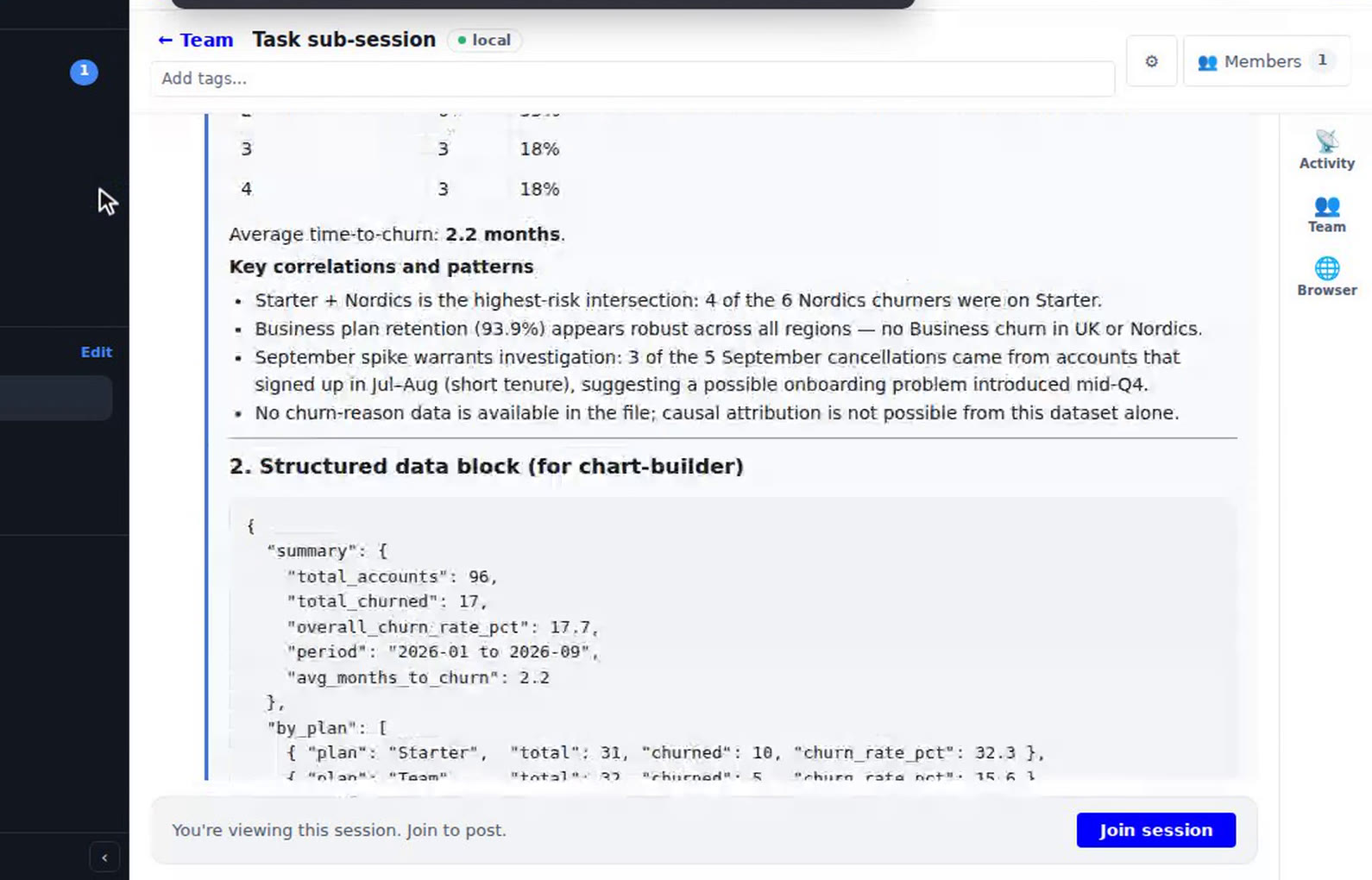
Each task has a "view run" link. The owner opens the churn analyst's sub-session, where its findings and the data it handed to the chart builder are visible, then presses "← Team" to return to the main session.
How to use it
- Start a session and add the lead from Members. Attach any files the work needs.
- Describe the outcome you want, and ask the lead to split it up and run it in parallel where it can.
- Open the Tasks panel to see the task list, and open the Task Graph to see how the tasks depend on each other.
- Press "view run" on a task to step into its sub-session, and "← Team" to come back.
What to know
The lead adds agents to its team without asking you first. A board's roster is a suggestion list, not a team definition. The recording shows each worker's output inside its sub-session. It does not show a final summary from the lead.